 |
Smith Brothers Services, LLC |
 |
||||
| PLOW PARTS |
|
FABRICATION |
|
|||
|
|
Smith Brothers Services, LLC |
|
||||
| PLOW PARTS |
|
FABRICATION |
|
|||
Added 8-14-18
Meyer Drive Pro Standard Operating System Upgrades
Now that I have assembled and installed two of the Meyer Drive Pro SOS plows, I found some little "quirks". These are outlined on the previous page. Here is a kit we offer to overcome some of them, the most important ones.
Because the geometry once again has changed by moving the A Frame mounting points (Pins) further forward on the Lift Frame, when you pull the Single Pull Handle (pins), the Lift Frame hangs in mid-air, it does not drop down onto the top of the Crankstand. As soon as you back the vehicle away, it slams down onto the top of the Crankstand, and then you have the same problem ala Jack Leg, the back of the Lift Frame where it engages the Clevis on the vehicle is now too high, making it difficult to get it mounted on the vehicle. You would have to lower the Crankstand, but this may present a problem with the Single Pull bar hitting the Clevis when trying to mount the plow. A simple rubber snubber mounted on top of the Crankstand helps.
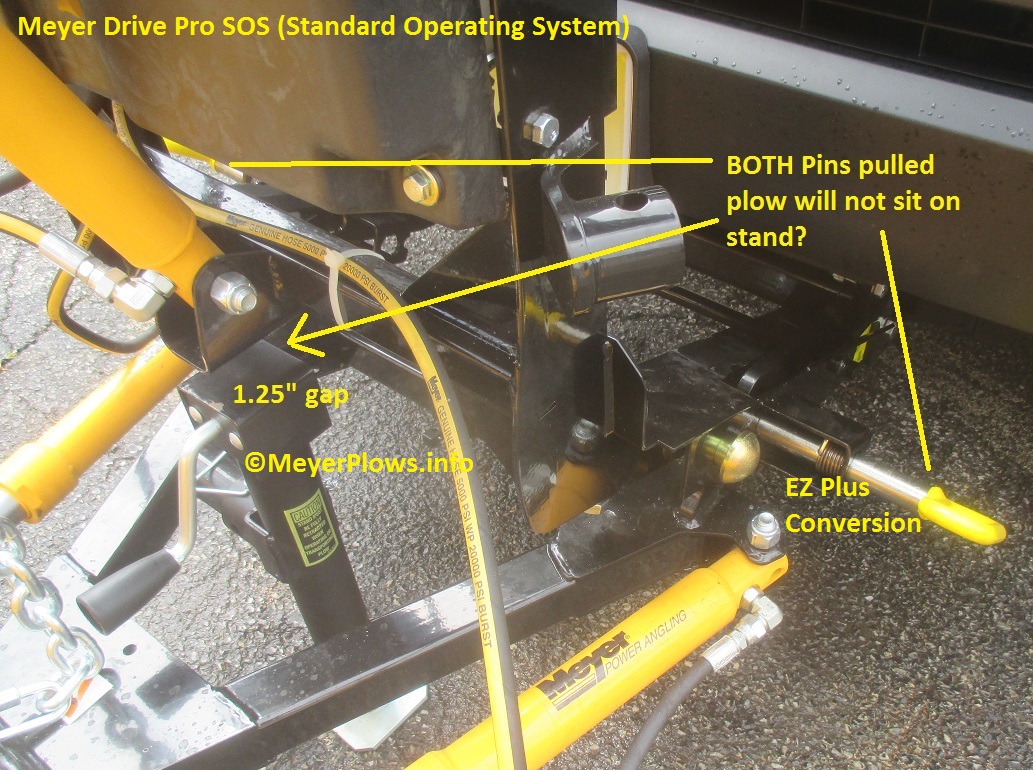
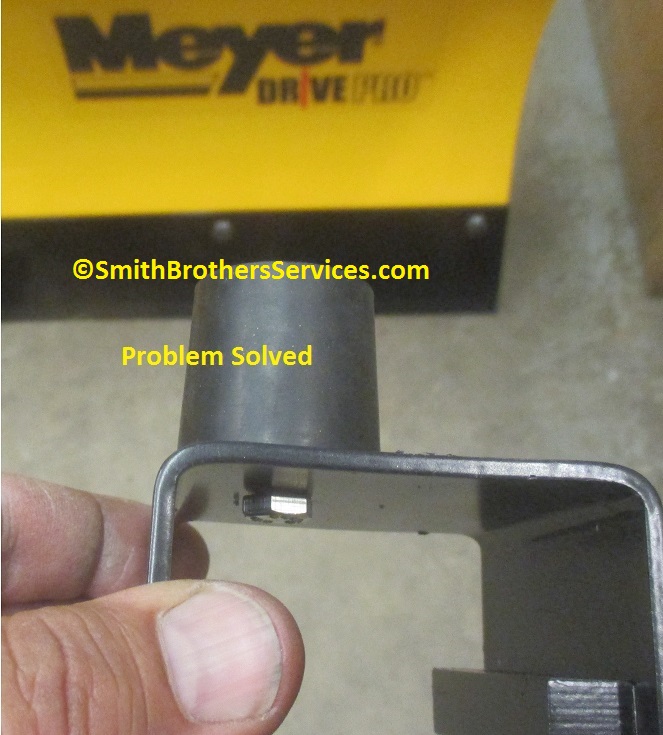
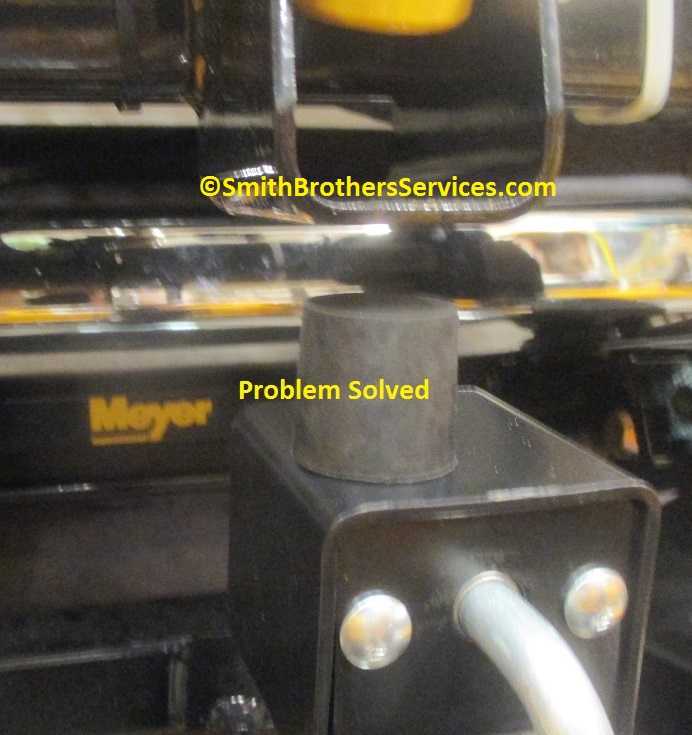
The Rubber Snubber and Hardware are included in the kit.
Then we have another problem due to the design changes in the SOS versus the original Drive Pro. The original Drive Pro had a hole in the Pivot Pin Sleeve on the back of the Moldboard so you could use a rubber tip on a grease gun, and grease the pins. It was not easy, but it was possible. The TM King Bolt can be used to replace the Meyer Drive pro SOS Pivot Pins, allowing you to grease the pivots. As you can see, Meyer did not change the design of the Pivot Pins, so they are WAY too long in my opinion for the new design. The TM King Bolts work on both the Drive Pro 6' 8" and the Drive Pro 7' 6".

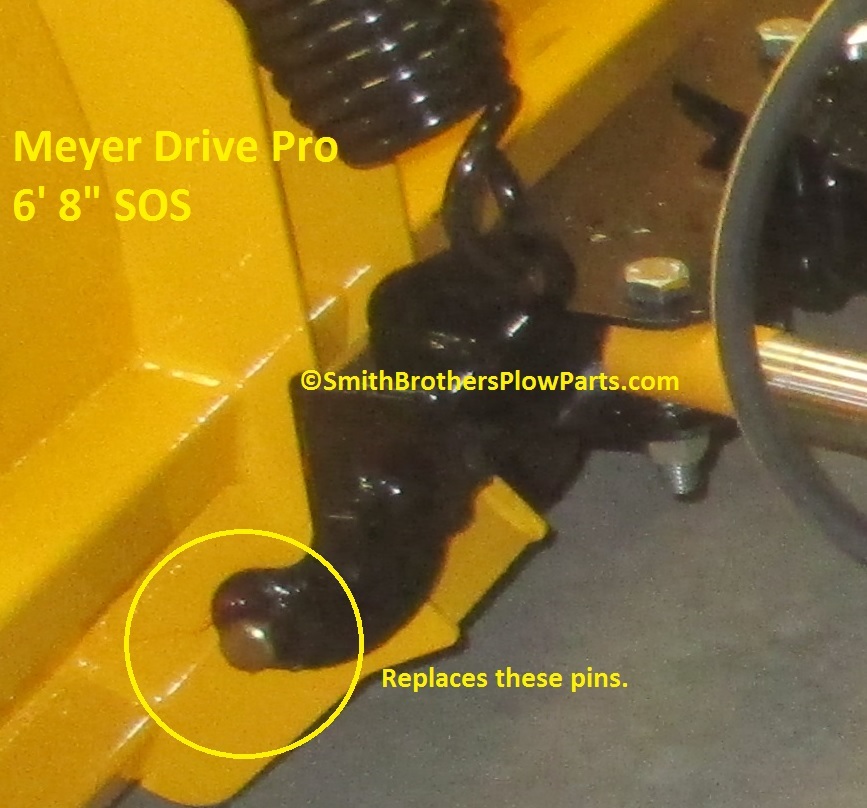
Two Meyer TM King Bolts with grease fittings are included in the kit to replace the Pivot Pins. Also included are the Special Lock Nuts to install the bolts.
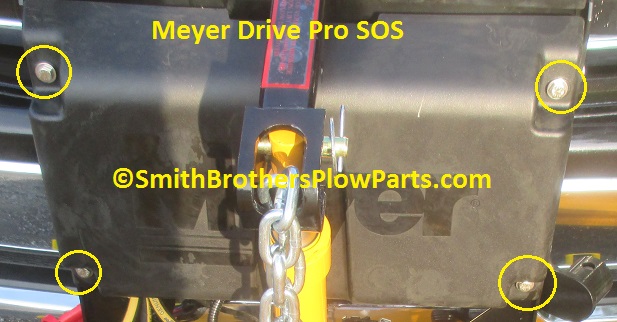
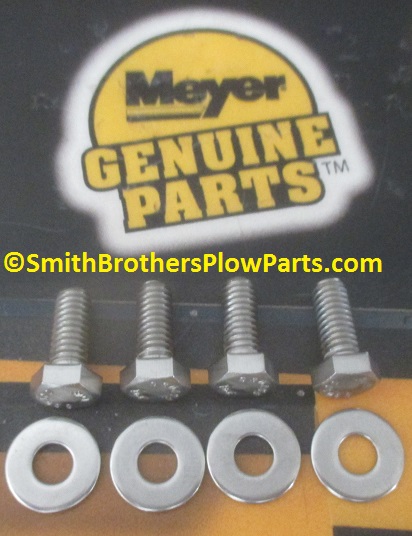
The Cover bolts are mild steel Grade 2 bolts that will rust and leave streaks on the front cover. Included in the kit are Stainless Steel Bolts and Stainless Steel Washers.
I am assuming it was a "use what we have" approach to connecting the Lift Arm on the Drive Pro. It has used pins from day one instead of bolts. Because you will need to remove the Lift Arm to remove the front Cover, the back makes sense to use a pin on the Lift Arm to attach it to the Lift Frame. The pin attaching the Lift Arm to the Lift Ram we replace with a bolt. There is no reason to have a (too long) Pin there. A Bolt and Lock Nut are included in the kit.
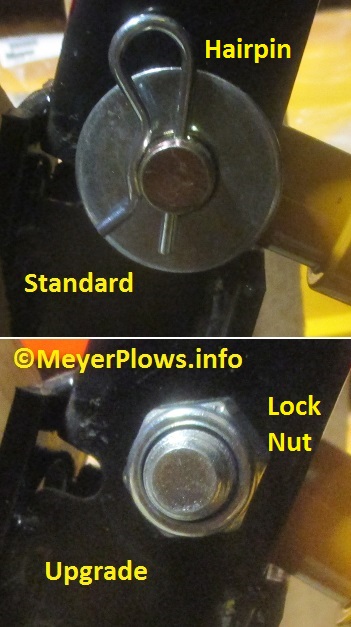
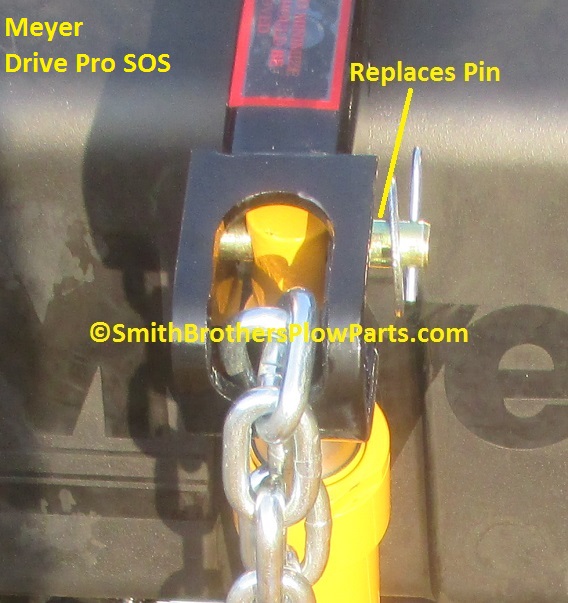
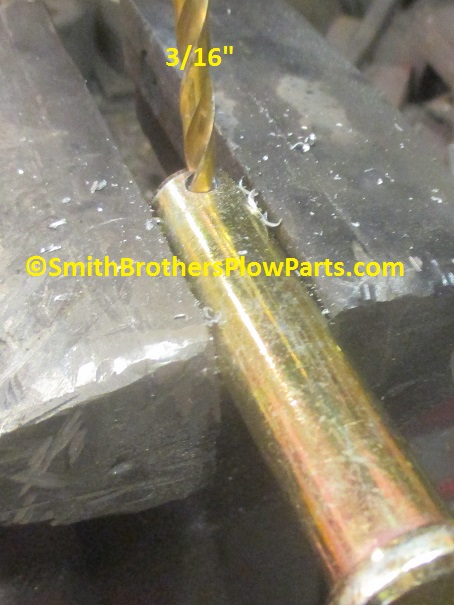
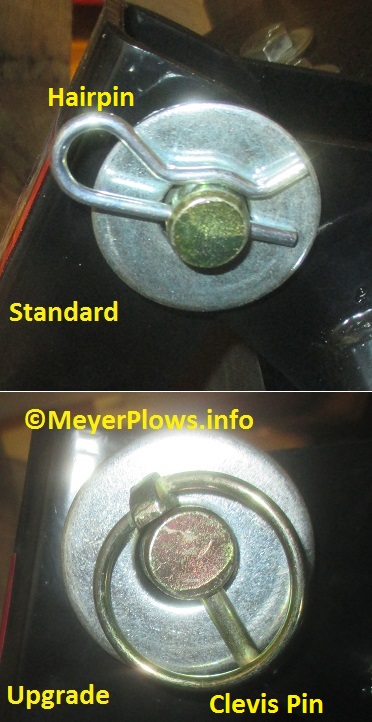
On the back of the Lift Arm, the Clevis Pin mentioned above makes sense to keep. What does not make sense is the Hairpin to hold it in. Hairpins are not as reliable as a Lynch Pin. The very first SOS I removed from the crate, the strap must have pushed on the Hairpin, and it shot out somewhere in the warehouse never to be seen again. Meyer themselves stopped using Hairpins on the old pins that mounted the plow A Frame to the truck frame many years ago. It was because they were unreliable. So we include a 3/16" Lynch Pin in the kit. The Hairpin is only 1/8" diameter, so the hole in the Clevis Pin needs to be enlarged to 3/16" to use the Lynch Pin.
Order your Meyer Drive Pro SOS Upgrade Kit here.
Back to Meyer Standard Operating System Info Page 1
____________________________________________________________________________________
|
|
Smith Brothers Services, LLC |
 |
| |
Entire site Copyright 2006 - 2018 Smith Brothers Services, LLC All Rights Reserved
Our Other Sites:
Snowplowing-Contractors.com
ChucksChevyTruckPages.com
SmithBrothersPlowParts.com
SmithBrothersServices.com
MeyerPlowHelp.com MeyerST.com
PlowPump.info
MeyerPlowPumpParts.com
Home-Plow-By-Meyer.com MeyerE-57.com
MeyerE-60.com
MeyerDrivePro.com
MeyerPlows.info MeyerLotPro.com
MeyerE-47.com
MeyerRoadPro.com
SmithBrothersTruckParts.com
MeyerE-58H.com MeyerE-73.com
MeyerVPlow.com
MeyerE-72.comMeyerE-68.com
Smith
Brothers Services on
YouTube


